
.png&w=3840&q=75)
Blogs/Desert Sound
One Touch Smart Controls for Lighting, Sound, and Cinema Screens
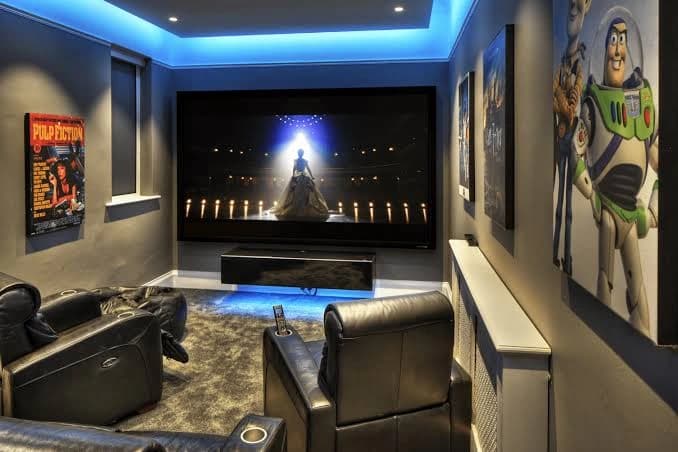
One-touch control works when every device talks to a central smart home automation processor — over IP, RS-232, or Zigbee — instead of each getting its own command. Press one scene and the processor times the rest: screen down while the projector warms, lights fading on a curve. The timing is the product. A pile of apps is not.
What the System Needs
- Central processor — the controller that takes one input and runs the sequence
- Network — wired where it matters, wireless where it must, with no lag between keypad and relay
- Subsystems — dimmable lighting, motorized shades, the AV receiver, screen relays
- Interfaces — wall keypads, a handheld remote with real buttons, or a phone app guests can actually use
Scenes, Not Extra Remotes
A scene is several actions on one button, written for how the room is used.
Movie night: screen down, projector on in 4K, receiver in surround, playback handed to the usual streamer, overheads off, step lights at about 10% so people can still walk, blackout shades closed.
Pause / intermission: sconces come up to about 20% so people can move without full house lights. Play restores the dark and the soundtrack. The same processor can sit alongside audio distribution so volume and source stay in one place.
Sports or gaming: screen down, overheads around 40% so the room stays usable for talk and food. Different brief, different scene — don't force movie-dark on a match.
Interfaces
The household has to use it without a tutorial. Handheld remotes that keep volume and transport as physical buttons, with a screen for source and lighting, work better than a phone-only setup. A wall keypad by the door is the clean all-off when you leave. Voice is fine for dim and pause. Tablets and phones cover control from another room.
Programming Details
Fade lights over 4–6 seconds, not instantly — the eye needs that ramp. Screen motors need obstruction sensors so the drop stops if something is in the path. Audio delay lives in the processor so dialogue stays in sync when you jump between streamers.
Keep It Running
Put the processor and router on a UPS so a Karachi outage or spike doesn't wipe the config. Update control firmware and apps so new streaming boxes still join the scene. Revisit lighting levels when you add a source or change lamps.
Use this with the checklist for building a custom home cinema if the room is still being planned. For a scene that actually fires cleanly, contact us.
Continue exploring
Contact
Ready to plan the room?
+92 21 111 570 111 · info@desertsound.com.pk
22-C/II, 2nd Zamzama Commercial Lane, Phase V, DHA Karachi
Get in touch