
.png&w=3840&q=75)
Blogs/Desert Sound
Is Your Home Theater Truly Optimized for the Ultimate Experience?
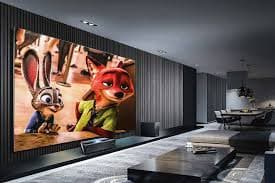
Optimization is not a more expensive projector. It is every piece aimed at the same seats.
Picture
Factory picture modes are a starting point. Set sharpness, colour, brightness, and contrast so the image is clean, not "vivid." A calibration app or disc is faster than guessing from memory.
Projector and screen
Throw distance comes from the projector, not from the wall you happen to have. Too close stretches or crops; off-centre keystone makes a trapezoid. Align the lens with the screen centre. Use a rigid mount. Check:
- Throw versus screen width
- Lens on the centreline
- A mount that does not drift
Sound
Surround only works if speakers are around the room — front, centre, sides or rears — near ear height, then level-matched. A pretty image with one blasting speaker is still a bad night.
Light and acoustics
Daylight on the screen flattens contrast. Blackout or dimming on that wall is part of the system. Bare floors and walls smear dialogue; rugs, curtains, and panels in larger rooms fix more than a new receiver will.
Keep it clean and re-check
Dust on a lens looks like a soft projector. Wipe glass with a proper cloth; dust speakers so grilles do not load up. After you move a screen or a chair, run calibration again. Play a film you know. Confirm speaker levels with a familiar track.
Use a tool such as THX Optimizer, then trust your eyes and ears on content you already know.
If the room still fights the gear, ask Desert Sound to run the system.
Continue exploring
Contact
Ready to plan the room?
+92 21 111 570 111 · info@desertsound.com.pk
22-C/II, 2nd Zamzama Commercial Lane, Phase V, DHA Karachi
Get in touch