
.png&w=3840&q=75)
Blogs/Desert Sound
Choosing Home Automation for a Pakistani Home
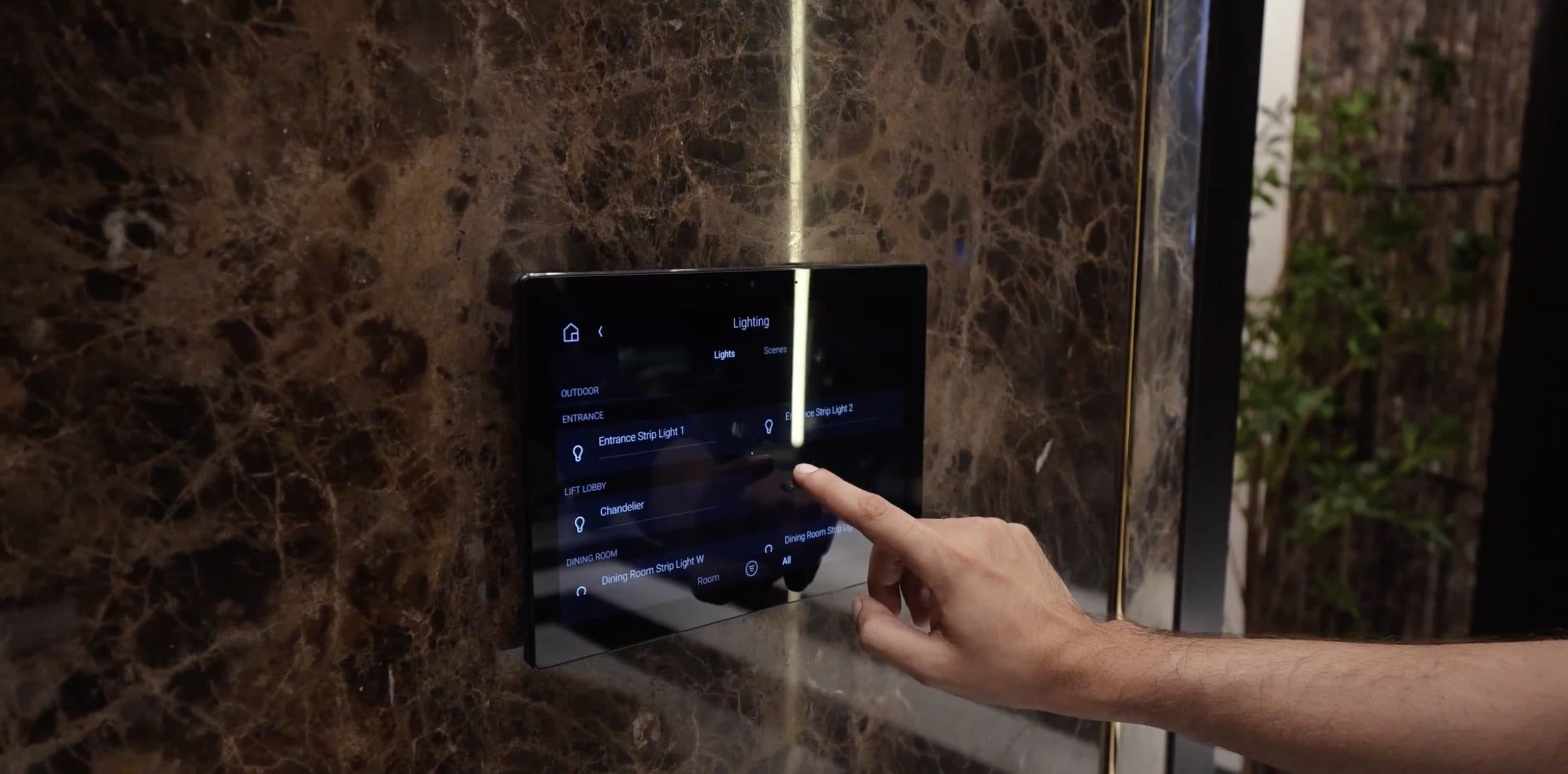
Choose a home automation system for a Pakistani home by how it behaves on a bad day, not by how the app looks. Decide which parts are wired and which are wireless, ask how it behaves during a power or internet cut, plan the controller and network together, then match devices to what each room is used for.
Most people start with an app or a gadget. In Pakistan the questions that matter are about wiring, the network, power cuts and the rooms you actually use. A glossy interface on a calm afternoon does not tell you how the house will feel at night, or after the lights flicker. This post covers those decisions in order, from how devices connect to what each room needs. If you are still deciding whether automating pays off in your home, start there.
What Is a Home Automation System?
A home automation system is the controller, the devices, the interfaces and the network that let a house act as one place to live. It is not a stack of separate apps that each talk to a single gadget.
The controller, sometimes called a hub, stores scenes and talks to the hardware. Devices include switches, dimmers, sensors, curtain motors, AC control, locks and cameras. You reach them through an app, a wall keypad or touch panel, a remote, or voice assistants. The network carries those commands from the interface to the load.
The useful test is whether lights, climate, curtains and a film feel like one system that the whole house uses. If every room needs its own login, you have gadgets. If a guest can press a keypad and the room responds, you have a home automation system.
Wired, Wireless or a Mix
Wired control runs cabling to keypads and to the loads they switch. That is easiest while a house is being built, when walls are open and routes can be drawn with the electrician. Wireless devices talk over radio. They suit a finished home where chasing plaster is painful. Most houses end up with a mix: wired where the walls are still open, wireless where they are not.
A practical catch sits in the switch box. Many smart switches need a neutral wire there. Have an electrician open the boxes and check before anyone orders hardware. Without a neutral, some positions will not take the device you had in mind, and the plan has to change around the wiring that is already in the wall.
Wired systems include bus standards such as KNX. Wireless devices may use Wi-Fi, Zigbee or Matter. Ask which standard each device uses and what controls it.
Do not treat the standard as the decision. Treat the house as the decision. New-build work can hide bus cable behind finishes. A finished apartment may add wireless devices on a planned network. Either way, ask who programs the scenes, who supports the controller, and how a device is replaced years later. Stay with one control layer so guests are not handed a pile of logins.
Local Control or Cloud Control
Some systems run scenes on a controller in the house, and others send commands through an internet service. A controller in the house stores the scenes itself. A cloud service can be simpler to reach from outside the house and simpler to update.
Remote access from a phone is useful in Pakistani heat, when you want the AC on before you arrive. It is less useful if every light switch depends on a login that lives on someone else's computers.
Ask how your system behaves during a power or internet cut. Treat that answer as part of the purchase, not as a footnote after the app demo. The demo is almost always on a good day.
Power Cuts, Voltage Swings and Internet Drops
Pakistani houses deal with load-shedding, voltage that swings, and routers that reboot when the line returns. Those events are ordinary here, so they belong in the brief rather than in a later complaint.
Put the controller, the router and the network switches on protected power. Surge and voltage protection matter for electronics; they are not optional extras around a rack full of delicate gear.
We plan the network and backup around outages. For the data side of that work, see planning the home network around power cuts.
What Each Room Needs
What you automate should follow how each room is used, and those habits are the everyday reasons families automate. Walk the house at the hours you live in it, not only during a tidy survey.
Living Room
A living room is where scenes earn their keep. Lights, AC and curtains should shift together from daylight to guests to a quiet evening, so nobody walks the walls flipping switches. Daylight and seating change how bright the room should feel; the scene should follow that, not a single default that ignores the sun.
Cinema or TV Room
A cinema or TV room should start with one press for lights, screen and sound. The rest of the house can stay as it was. Keep the remote drawer empty: the point is a room that switches into film mode, then returns to ordinary use without a hunt for handsets.
Bedrooms
Bedrooms need a night scene that settles lights and the AC, and a schedule that stops cooling an empty room after everyone has left. A panel or a phone both work if the household will actually use them. Guests still need a keypad they can find in the dark.
Kitchen and Utility Areas
Kitchen and utility areas are about alerts and loads: leak or gas alerts, and schedules for a geyser or a motor. Those rooms are easy to forget when you leave the house. A notice on the phone is only useful if someone in the family will act on it.
Entrance, Gate and Outdoors
At the entrance, gate and door status should be visible without a separate camera app. Outdoor lights can follow a schedule. Garden lighting or outdoor speakers can join the same control layer; they do not need their own world of remotes. Keep names and zones clear so the family is not guessing which switch is the gate.
The Equipment Rack
The equipment rack needs ventilation and power for the controller and network gear. Leave space to reach cables. A closed cabinet that cooks the hardware will undo a careful plan. Ask where surge protection will sit, and how heat leaves the rack.
How Installation Usually Works
An installer usually begins with a survey of the wiring and the network: switch boxes, rack space, and how data moves through the house. A room-by-room plan comes next, listing what should be controlled and from where. Electrician work follows, including neutrals, cable routes and protected power at the rack. Scenes are programmed with the family present, because a scene that looks neat on a laptop can feel wrong at night. Handover is a walkthrough of those scenes, and changes later are expected as habits settle.
None of that requires a branded shopping list at the first meeting. It requires an honest map of the house and a control layer the family will touch.
Choosing Without Regret
Start with the rooms you use daily, not with a catalogue. Ask how the system behaves on a bad day, before you fall for an app. Plan the network with the controller, in the same conversation. Keep the design expandable so a later room can join the same layer without a second cupboard of hardware.
When you want that layer designed across the house, read how we design and install control for the whole house.
Desert Sound designs and installs home cinemas, home theatres and smart homes across Pakistan, with a showroom in Karachi. To book a consultation about your wiring and network, fill in the form and we will contact you.
Contact
Ready to plan the room?
+92 21 111 570 111 · info@desertsound.com.pk
22-C/II, 2nd Zamzama Commercial Lane, Phase V, DHA Karachi
Get in touch